


Call of Duty®: Mobile
4.3810.72K Reviews
App Specs
- Version
- 1.0.57
- Updated On
- License
- Free
- Downloads
- 100,000,000+
- Developer
- Activision Publishing, Inc.
- Categories
- Action
- Platform
- Android, iOS
Screenshots
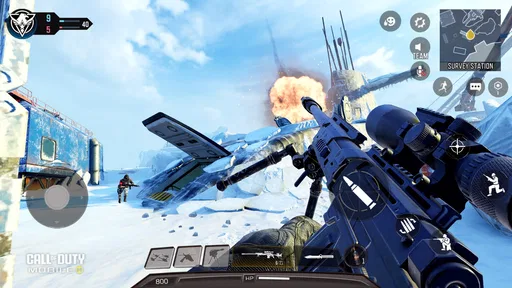
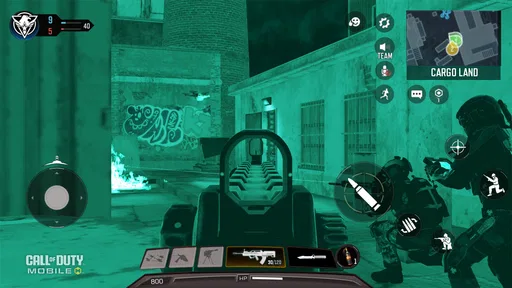
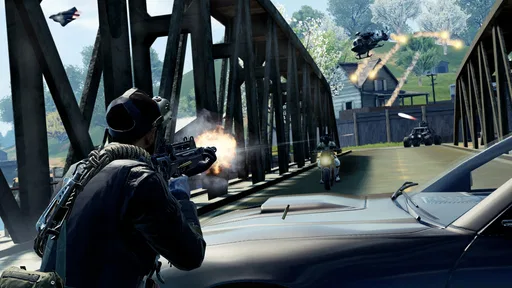
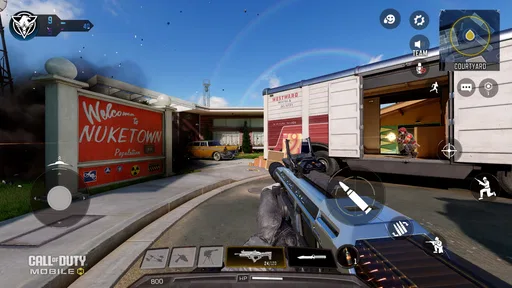

 Analysis by AppCompare
My first week with Call of Duty®: Mobile would be easy to fill: there is a lot to learn, plenty of ways to fight, and enough visual spectacle to make short matches feel exciting. The harder question is whether it deserves a regular place on your phone after that first rush. I think it can, but mostly if you enjoy improving at a competitive shooter and are willing to manage a game that keeps asking for your attention.
Why the opening hours make a strong impression
The basic appeal is immediate. You can jump into quick firefights, experiment with different weapons, or spend longer in a battle royale match. That range makes the game easier to fit around an unpredictable day: a short session can still feel complete, while a longer stretch gives you room to settle into a match and coordinate with teammates.
I’d especially recommend trying more than one mode before deciding whether the game suits you. A player who finds standard multiplayer too hectic may prefer the different pace of battle royale, while someone who wants repeated, compact encounters may not enjoy committing to a longer match. The modes don’t just offer variety for its own sake; they ask you to use your attention and time differently.
On a first visit, I’d also take a few minutes to adjust the controls rather than accepting the default layout. Small changes to button placement can make aiming, moving, and firing feel less awkward on a touchscreen. It is tempting to jump straight into matches, but a layout that fits your hands is a more useful early improvement than chasing a perfect weapon setup.
What keeps it in the rotation
For lasting value, the strongest reason to return is the combination of practice and choice. A familiar map can feel different when you change your weapon, role, or approach, and loadout customization gives you a way to prepare for the kind of encounter you expect. That makes experimentation worthwhile: instead of switching games whenever a match goes badly, you can try a more suitable setup and see whether your decisions improve.
Its action focus will be a better fit for players who enjoy learning through repetition than for anyone looking for a calm, low-pressure phone game. The controls take practice, and competing against experienced players can make early matches feel unforgiving. I’d treat the first sessions as a chance to get comfortable with movement and aiming, not as a test of whether you are instantly good at it.
There is also a practical social use for it. If a friend group already plays, the different modes give you a shared activity that can work for a quick catch-up or a longer evening session. If your friends do not play, the large audience still makes it easier to find opponents, though that does not guarantee every match will feel evenly paced or welcoming to a newcomer.
Worth Reading Before You Choose

Baby Panda World Brings Quick Play to Modern Phones, but Its Game Library Feels Busy

ESPN’s Live Game View Makes Following Close Games Easier

QuizzLand Review: A Good Fit for Short Trivia Breaks, Not Every Player

Basketball Stars: Multiplayer Is Fast, but Can It Recover When Matches Go Wrong?

WEBTOON Turns Phone Updates Into a Better Reading Routine

Link to Windows Runs on Shared Habits, Not Social Feeds
The upkeep and trade-offs of a live shooter
Call of Duty: Mobile is free to download, and Activision Publishing, Inc. develops it. It has a 4.3 average from around 17 million ratings and has passed 100 million installs, which gives a sense of how widely it is played. Its current version is 1.0.55, and it is rated Mature 17+, so it is aimed at adult players rather than younger children.
A large, frequently refreshed game can be a mixed blessing. New content and challenges give regular players reasons to return, but they can also make the experience feel like another ongoing obligation. I would not try to clear every event or treat every reward track as a deadline. Pick the activities you genuinely enjoy; if a session starts to feel like chores, that is a good cue to stop rather than keep grinding for a cosmetic reward.
There is a maintenance cost beyond time, too. A feature-rich shooter can take up more attention than a simple pick-up-and-play game, and you may need to revisit your control layout or preferred setup as your habits change. Before settling in for a longer session, check that you have enough uninterrupted time for the mode you chose. For a brief break between errands, a short multiplayer match is a more sensible choice than starting a battle royale game you may need to leave midway.
Spending is another personal boundary worth setting early. The game is free, with optional in-app purchases ranging from $0.99 to $99.99 per item. I’d decide in advance whether cosmetic extras or added progression are worth money to you, and avoid buying anything just because a limited-time challenge has made it feel urgent. You can start without paying, but the number of purchase options may be distracting if you prefer a completely hands-off free-to-play experience.
When I’d choose something else
Compared with simpler mobile shooters, this one offers more modes and more room to tune a loadout, but that depth brings extra menus, choices, and ongoing content to keep track of. Compared with shooters designed around slower, more deliberate play, it puts a stronger emphasis on quick reactions and repeated action. That makes it a compelling option if you want a familiar, fast-moving competitive loop, but a less convincing one if your priority is a quiet solo experience or a game you can ignore for weeks without feeling out of step.
I would also be cautious about recommending it to someone with little patience for touchscreen aiming. Customizable controls help, but they do not remove the learning curve. If you find that looking around, tracking an opponent, and firing at once feels uncomfortable, give the layout a fair adjustment period; if it still feels like work, a slower game or a shooter played with a controller may be a better match for you.
Graphics and Gameplay
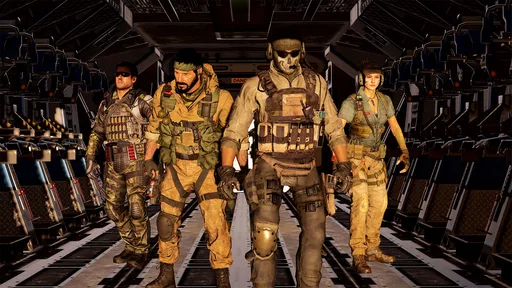
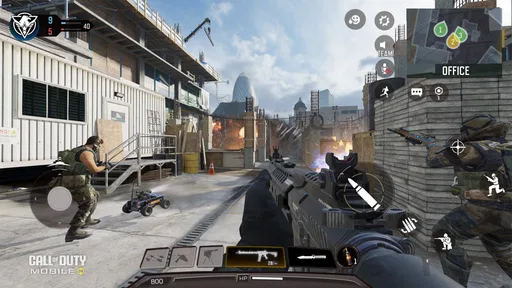
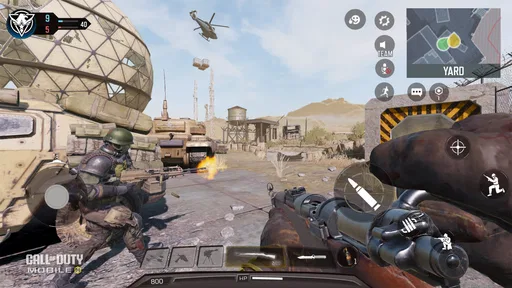
First up, the graphics. Wow, just wow. For a mobile game, the visuals are absolutely stunning. The maps are detailed, and the character models look fantastic. It’s almost like you’re playing on a console. The game runs smoothly even on mid-range devices, which is a huge plus. You'll feel like you’re right in the middle of the action, dodging bullets and taking down enemies.
As for the gameplay, it’s classic Call of Duty with a mobile twist. The controls are customizable, which is a lifesaver because everyone has their own style. You can adjust the layout to fit your comfort, making it easier to aim and shoot. The game modes are varied too. From Team Deathmatch to Battle Royale, each one offers a different experience. Whether you’re a lone wolf or a team player, there’s something for everyone.
Features and Customization
Customization is where Call of Duty: Mobile shines. There’s a plethora of weapons to choose from, and each can be customized with different attachments. Want a sniper with a silencer? You got it. Prefer an SMG with extended mags? No problem. The options are nearly endless, allowing you to tailor your loadout to your play style.
Then there are the characters. You can unlock and play as iconic heroes from the Call of Duty universe. Each character comes with unique skins and outfits, making the game feel personal and fresh. And let’s not forget about the scorestreaks, which can turn the tide of battle if used correctly. Calling in a UAV or a Care Package at the right moment can be a game-changer.
Community and Competitive Play
Now, let’s talk about the community. The game has a massive player base, which means you’ll never struggle to find a match. The developers frequently update the game with new content, keeping it fresh and exciting. There’s always a new event or challenge to tackle.
If you’re into competitive play, you’re in luck. Call of Duty: Mobile offers ranked matches where you can test your skills against other players. Climbing the ranks is challenging but incredibly rewarding. Plus, there are tournaments and esports events for those who want to take it to the next level.
Monetization and In-App Purchases
Let’s be real, mobile games often come with in-app purchases, and Call of Duty: Mobile is no exception. The game is free to download, but there are plenty of things to buy if you want to speed up progress or get exclusive items. However, it’s not pay-to-win. Skill is still the most important factor, and you can enjoy the game without spending a dime.
The Battle Pass system is worth mentioning. It offers additional content and rewards for completing challenges, adding more depth to the game. If you’re a dedicated player, it might be worth the investment.
Final Thoughts
Overall, Call of Duty: Mobile delivers a thrilling and immersive experience that’s hard to match on mobile devices. Whether you’re a casual player or a hardcore fan, there’s something here for everyone. The combination of stunning graphics, varied gameplay, and a strong community makes it a must-try for any FPS enthusiast.
If you’re ready to jump into the action, you can download Call of Duty®: Mobile on both Android and iOS. Grab your device, customize your loadout, and get ready for battle. It’s time to see if you have what it takes to come out on top!
Pros
- Stunning graphics for mobile gameplay.
- Wide variety of maps and modes.
- Smooth and responsive controls.
- Regular updates with new content.
- Cross-platform play feature.
Cons
- Requires high storage space.
- Frequent in-app purchases.
- Needs strong internet connection.
- Battery drains quickly during play.
- Occasional server connectivity issues.
FAQs for Call of Duty®: Mobile
What are the system requirements for Call of Duty®: Mobile?
Call of Duty®: Mobile requires Android devices to have at least 2 GB of RAM and run on Android 5.1 or higher. For iOS, devices need to be on iOS 9.0 or later. Ensure your device meets these specifications for optimal performance and a smooth gaming experience.
Is Call of Duty®: Mobile free to play?
Yes, Call of Duty®: Mobile is free to download and play. However, it includes in-app purchases for various items like skins, weapons, and battle passes. While these purchases can enhance the gameplay experience, they are optional and not necessary to enjoy the game fully.
Can I play Call of Duty®: Mobile offline?
No, Call of Duty®: Mobile requires a stable internet connection to play. The game is designed for online multiplayer battles, including modes like Battle Royale and Team Deathmatch, which need an active connection to function.
Does Call of Duty®: Mobile support cross-platform play?
Call of Duty®: Mobile does not support cross-platform play between mobile and console or PC versions. However, it allows cross-play between Android and iOS devices, meaning you can compete with friends regardless of their mobile platform.
How does Call of Duty®: Mobile handle account security?
Call of Duty®: Mobile offers multiple ways to secure your account, including linking it to Facebook, Google Play, or Apple ID. Additionally, it’s advisable to use strong, unique passwords and enable any available security features to protect your account from unauthorized access.


